
Product
Your roster and your workforce, in one app
Managers run their team from it. Workers register, apply and submit their hours through it. Nobody is chasing a document by email.
Ranked by fit
3 qualifiedEveryone shown already meets what the shift requires. People who do not are not ranked lower — they are not on the list.
Documents
Uploaded once, stored centrally, watched from then on.
One platform
Two views, not two apps
The manager experience and the worker experience are the same underlying platform. There is nothing separate to buy, configure or roll out for each side.
Running the roster
Post and duplicate shifts, see who is qualified, approve hours, check invoices.
Picking up shifts
Register, keep documents current, apply for shifts, submit hours.
For your team
What a manager does in the app
Manage compliance documents centrally
Registrations, certificates and visa conditions live in the app instead of an email inbox. No forwarding a PDF to yourself so you can remember where you put it.
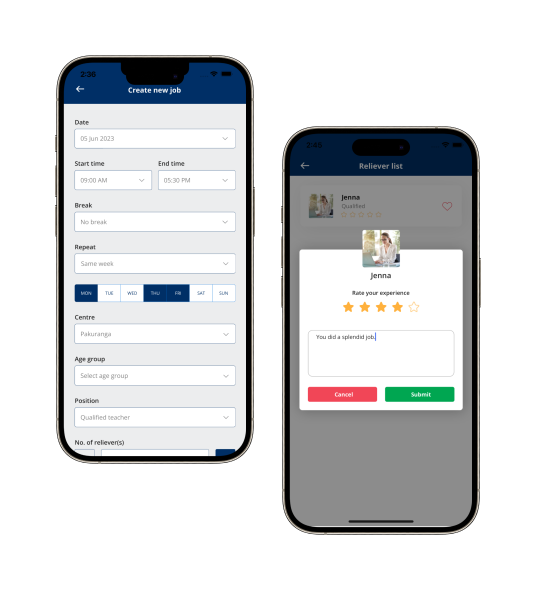
Create and duplicate jobs quickly
Post a new shift, or duplicate one you have already posted when the same role comes up again next week. Recurring shifts do not mean re-entering the same requirements every time.
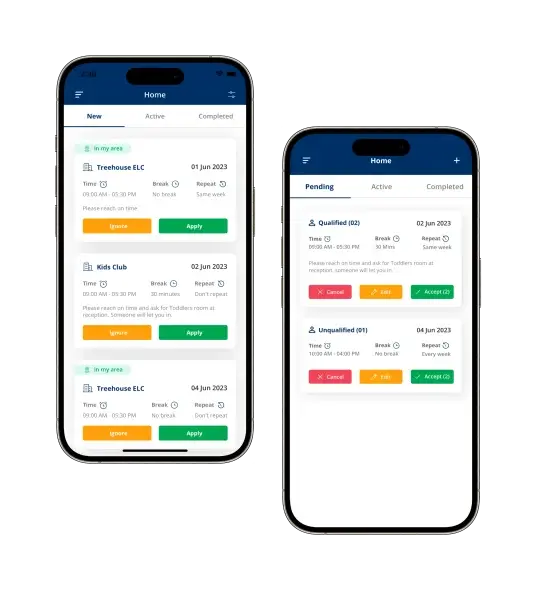
Dashboard of current and upcoming jobs
Every open, confirmed and upcoming shift across your team in one view, instead of piecing it together from separate conversations.
Approve timesheets with one tap
Approve submitted hours from wherever you are. The approval step does not require being at a desk.
Manage invoices
Generated invoices sit alongside the timesheets that produced them, so there is one place to check what has been billed and what is still pending.
Matching across your own pool
The app ranks who is available and qualified for a shift automatically, scoped to the pool you manage. It is matching within your own workforce, not sourcing from outside it.
Approve timesheet
The difference is flagged before approval, not discovered at pay run.
For your workforce
What a worker does in the app
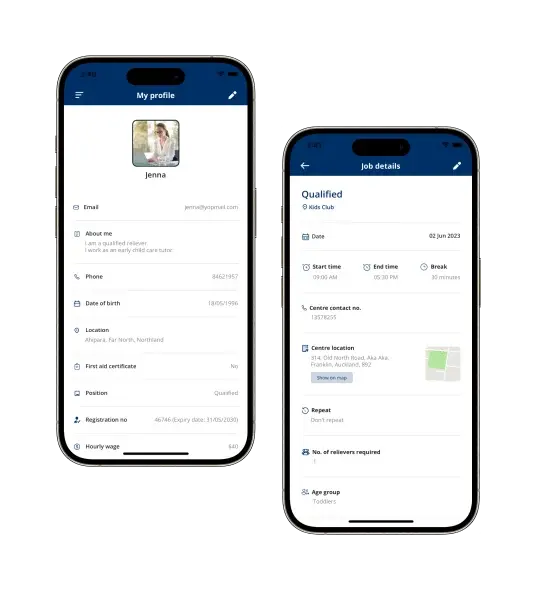
Register directly from the app
Workers register as themselves — no separate paper form, and no emailing a document to a manager first. Registration and document upload happen in one flow.
The registration flow in detailApply for jobs on the go
Browse and apply for shifts you are qualified for from your phone, wherever you are when a shift comes up.
Keep your documents current
One place to hold your own certificates and registrations, so nobody has to email a document around each time it is asked for.
Submit timesheets with one tap
Submit hours right after a shift ends, from the same device you used to apply for it, with the booked hours already filled in.
Instant booking confirmation
Know the moment a shift you applied for is confirmed, instead of waiting to hear back.
Who can see an uploaded document
Documents a worker uploads are visible to the organisations they are registered with, for the purpose of checking they meet what a shift requires. They are not a public profile and they are not shared with other workers. If you have specific data residency, retention or access requirements — common in health and education — raise them in a demo so they can be answered against your policy rather than in general terms.
On the phone
What it looks like in the hand
Download
Get the app
Store listings go live alongside your rollout. Ask in a demo if you need to see the worker experience before then.
Interface images on this page are illustrative layouts, not screenshots of live data. See Features for the full capability list.
See both sides of the app in a live demo
We will show you the manager view and the worker view together, so you can see exactly what your team will see.